
Thermal Imaging vs. Visual Inspection: How to Tell If Your Solar Panels Are Actually Defective
Your solar production dropped and you are not sure why. Is it dirt, or is something actually broken? This is one of the most common questions we get, and the honest answer is that you often cannot tell the difference by looking at panels from the ground. That is exactly the gap thermal imaging is built to close.
What Visual Inspection Can and Cannot Tell You
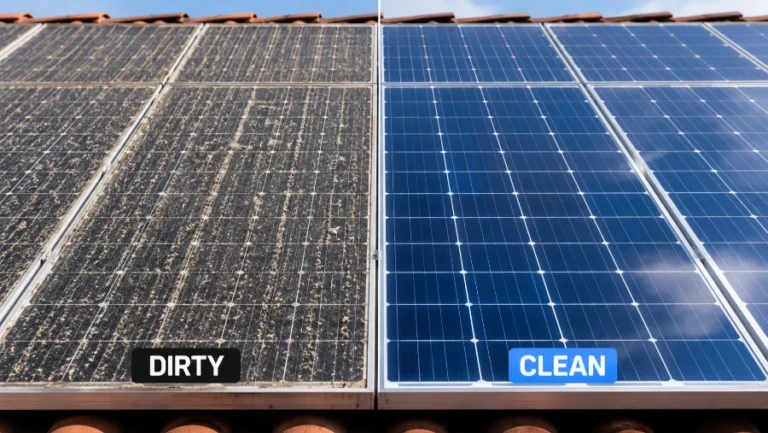
A careful visual inspection catches a lot: cracked glass, visibly loose wiring, obvious bird nests, heavy soiling. What it cannot catch is a failing bypass diode or a bad cell connection, because those problems do not necessarily look different from a clean panel to the naked eye. A panel can look pristine and still be underperforming for reasons a visual check will never reveal.
What a Thermal Camera Actually Shows
A thermal imaging camera reveals hotspots, areas of a panel running hotter than the surrounding cells. There are two common causes of a hotspot, and they look similar on camera but mean very different things. A soiling hotspot happens when dirt or debris sits directly on the glass and acts like an insulating layer, trapping heat in that one spot. A hardware hotspot, caused by a failing bypass diode or a bad cell connection, produces a similar heat signature but will not resolve after cleaning.
How the Two-Scan Method Tells Them Apart
The way to actually distinguish soiling from a hardware defect is to run a thermal scan before cleaning and another one after. If a hotspot disappears once the panel is clean, it was soiling. If it persists after a proper deionized water cleaning, that is a strong signal you are looking at a genuine hardware issue rather than dirt.
Why This Matters for Your Warranty
Most residential solar installations carry a manufacturer parts-and-labor warranty, commonly around ten years, that covers genuine module defects. A dated thermal report showing a hotspot that persisted through a professional cleaning gives your original installer real documentation to work from if you need to file a warranty claim, rather than a vague complaint about lower-than-expected production.
When It Is Worth Requesting
If your production has dropped suddenly, or if it is isolated to specific panels rather than a gradual dip across the whole system, that pattern points more toward a hardware issue than general soiling, and a thermal scan is worth requesting before you assume cleaning alone will fix it. You can read more on our inspection and thermal imaging page, or see it as one step in our full cleaning process.